
Introduction
Buying on Torzon Market requires more than just creating an account. Anonymity, encryption, and careful vendor selection are essential to protecting your identity and funds. This guide walks through the full purchasing process — from setup to final confirmation.
Step 1: Prepare Your Environment
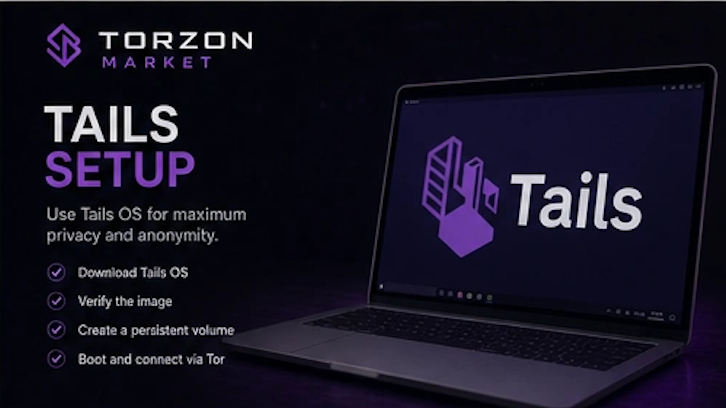
Before accessing Torzon, ensure your operating environment is secure. The recommended setup is Tails OS or Whonix running on a dedicated machine or virtual machine. Never access darknet markets from your primary operating system with personal accounts logged in.
- Download and install the latest version of the Tor browser
- Disable JavaScript in Tor browser security settings
- Use a VPN before connecting to Tor if your ISP blocks Tor entry nodes
- Generate a fresh PGP keypair for market communications
Step 2: Access Torzon via Verified Onion Link
Navigate to Torzon only through PGP-verified onion links. Bookmark the verified URL after your first successful visit to avoid falling for phishing mirrors in the future. Detailed instructions for link verification are available on the Onion Links page.
Step 3: Register an Account
Create a new account using a unique username that has no connection to your real identity or other online accounts. Use a strong, randomly generated password stored in a local password manager — never in a cloud-based service.
After registration, immediately enable two-factor authentication (2FA) using PGP. Upload your public PGP key to your profile so vendors can encrypt messages to you.
Step 4: Deposit Cryptocurrency
Torzon supports Bitcoin (BTC) and Monero (XMR). Monero is strongly recommended due to its built-in privacy features — Bitcoin transactions are traceable on the public blockchain.
- Generate a fresh wallet address outside the market (e.g., in Wasabi, Electrum, or Cake Wallet).
- Send funds from an exchange to your external wallet.
- Use a cryptocurrency mixer or CoinJoin to break traceability.
- Transfer mixed funds to your Torzon deposit address.
- Wait for confirmations before placing orders.
Never deposit directly from an exchange to the market. This creates a direct link between your identity and the marketplace.
Step 5: Select a Vendor
Browse listings using category filters and search. When evaluating vendors, consider the following:
- Sales volume: Higher completed sales indicate experience
- Rating: Aim for vendors with 95%+ positive feedback
- Dispute ratio: Lower is better — under 2% is ideal
- Vendor tier: Verified, Trusted, or Elite tiers offer more protection
- PGP key: Ensure the vendor has a valid, signed PGP key
- Response time: Fast encrypted communication is a good sign
Avoid new vendors with no feedback unless you are willing to accept higher risk. More details on vendor tiers are available on the Vendors page.
Step 6: Place an Order
When placing an order, provide only the minimum required information. Use PGP encryption when sharing any delivery details. Never include personal identifiers, real names, or phone numbers in plaintext.
Select escrow as the payment method. Funds will be held by the market until you confirm delivery. Multisig is available for advanced users who prefer not to rely on the market's escrow wallet.
Step 7: Communicate with the Vendor
All communication with vendors should be PGP-encrypted. Torzon provides a built-in messaging system, but messages are only protected if both parties use PGP. Plaintext messages stored on the server can be compromised in the event of a breach.
Keep communication concise and professional. Do not share unnecessary details about yourself or your habits.
Step 8: Confirm Delivery and Finalize
Once you receive your order, inspect it carefully. If everything is correct, release escrow by finalizing the transaction. Leave an honest, signed review to help other buyers make informed decisions.
If there is a problem — such as non-delivery, incorrect product, or poor stealth — do not finalize. Open a dispute through the order page and provide PGP-signed evidence to moderators.
Step 9: Withdraw Remaining Funds
After completing your purchase, withdraw any remaining balance from your Torzon wallet. Do not store funds on the market longer than necessary. Transfer to an external wallet, mix the coins, and only then move to an exchange if you plan to cash out.
Common Mistakes to Avoid
- Depositing directly from an exchange to the market
- Reusing usernames or passwords from other platforms
- Finalizing escrow before receiving the order
- Communicating delivery details in plaintext
- Using personal email accounts or phone numbers
- Accessing the market from a non-anonymous network
- Ignoring vendor dispute ratios and feedback history
Conclusion
Buying on Torzon Market is straightforward once you understand the security protocols. The key principles are simple: use Tor, verify links, encrypt everything, use escrow, and never reveal personal information. Following these steps consistently will significantly reduce your risk exposure.